Game guide · YXZZZ
A practical guide to FreeCell
A clear plan starts with the current position. Build four suit foundations from ace to king. Select cards directly on the tableau and work through a full solo deal. Check the relevant controls before continuing. Begin with the objective. Build down in alternating colours; four cells each hold one card. Empty columns accept any legal group. Take the next action only when the current step is clear.
One face-up deck. Transfer capacity counts available cells and spare empty columns. Free solo play, no wagering.
Practice with a purpose
Begin with the objective. Select a face-up card and then the destination pile or Empty slot. Take the next action only when the current step is clear.
What the game asks you to do
Build four suit foundations from ace to king. Check the relevant controls before continuing. Begin with the objective.
How a round unfolds
- Build down in alternating colours; four cells each hold one card. Empty columns accept any legal group.
- Select a face-up card and then the destination pile or Empty slot.
- Move exposed cards onto suit foundations in the stated rank order.
- Undo reverses a choice. New deal shuffles again.
How to use the controls
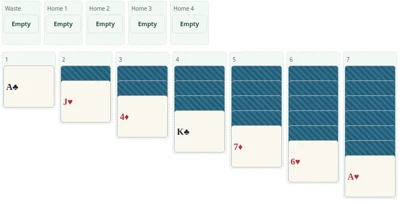
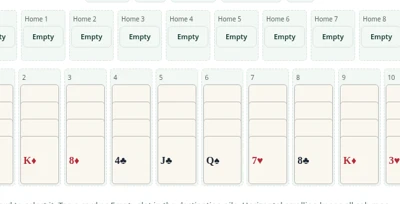
Click or tap cards and piles. Wide tableaus scroll inside the game; use Undo, Hint and New deal where shown. Use another round to revisit a decision. For a calm first round, focus on one decision.
A closer look at one example
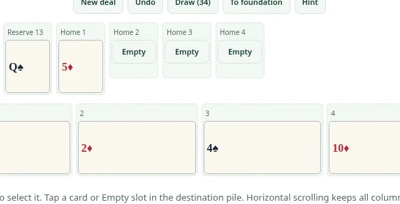
With two empty cells and no spare empty column, a group of at most three cards can move together. The same rule applies on a phone and on a computer.
Keep this in mind
Look at the complete hand before deciding. Random deals are not guaranteed solvable. A hint is a legal move, not a winning strategy. Check the relevant controls before continuing.
More answers before you play
What is the aim?
Build four suit foundations from ace to king. A clear plan starts with the current position. Take the next action only when the current step is clear.
How do I use the controls?
Click or tap cards and piles. Wide tableaus scroll inside the game; use Undo, Hint and New deal where shown. Begin with the objective. Use another round to revisit a decision.
Which format is available?
One face-up deck. Transfer capacity counts available cells and spare empty columns. Free solo play, no wagering. For a calm first round, focus on one decision. Take the next action only when the current step is clear.
What should I check before a move?
Random deals are not guaranteed solvable. A hint is a legal move, not a winning strategy. Treat this as a chance to practise one rule. Return to the explanation when a decision is unclear.
Can you give an example?
With two empty cells and no spare empty column, a group of at most three cards can move together. Keep the active rule in mind. Use another round to revisit a decision.
What completes a round?
Build four suit foundations from ace to king. Treat this as a chance to practise one rule. Return to the explanation when a decision is unclear.
Which controls should I use?
Click or tap cards and piles. Wide tableaus scroll inside the game; use Undo, Hint and New deal where shown. Before making a move, check the cards in view. Use another round to revisit a decision.
Which version is played here?
One face-up deck. Transfer capacity counts available cells and spare empty columns. Free solo play, no wagering. A clear plan starts with the current position. Use another round to revisit a decision.
Does play involve an account or cash?
No. Play is free, without registration, deposits, bets or cash prizes. Begin with the objective. Use another round to revisit a decision.
What completes a round?
Build four suit foundations from ace to king. Begin with the objective. Return to the explanation when a decision is unclear.